Here’s the honest truth about mouse grip styles: there’s no single best one — but there IS a right one for your hand and what you do.
- Different Mouse Grip Styles at a Glance
- Palm Grip: Comfort and Stability
- Claw Grip: The FPS Favorite
- Fingertip Grip: Maximum Speed
- Hybrid Grips: The Relaxed Claw
- How to Find Your Grip in 60 Seconds
- Hand Size Matters
- Match Your Mouse to Your Grip
- Grip and Wrist Pain
- Which Grip Should You Use?
- Frequently Asked Questions
What are the mouse grip styles? Three main ones: palm, claw, and fingertip. Most people never think about how they hold a mouse. Then they wonder why their aim is shaky or their wrist hurts after an hour.
I’ve tested a lot of mice over at Gadgetping, and I can tell you this: how you hold your mouse matters more than its sensor or its DPI number. Your grip decides how fast you aim and how sore your hand gets. Let’s fix your grip — once you know your grip, everything else gets easier.
Different Mouse Grip Styles at a Glance
The different mouse grip styles break down into three core holds — palm, claw, and fingertip — plus hybrids that mix them.
There are more types of mouse grip styles than most people think, but almost all of them start from these three. Here are all mouse grip styles at a glance — this is the mouse grip styles chart people keep searching for:
| Palm Grip | Claw Grip | Fingertip Grip | |
|---|---|---|---|
| Hand contact | Whole palm + fingers flat | Palm base + arched fingers | Fingertips only |
| Comfort | Highest | Medium | Lowest |
| Speed | Slowest | Balanced | Fastest |
| Movement from | Arm and elbow | Wrist + fingers | Fingers only |
| Best mouse | Large, ergonomic | Medium, rear hump | Small, flat, light |
| Best for | Office, MMO, casual | FPS, competitive | Twitch shooters |
That chart answers most grip questions in one look. Now let’s break down each grip style properly — one grip at a time.
Palm Grip: Comfort and Stability
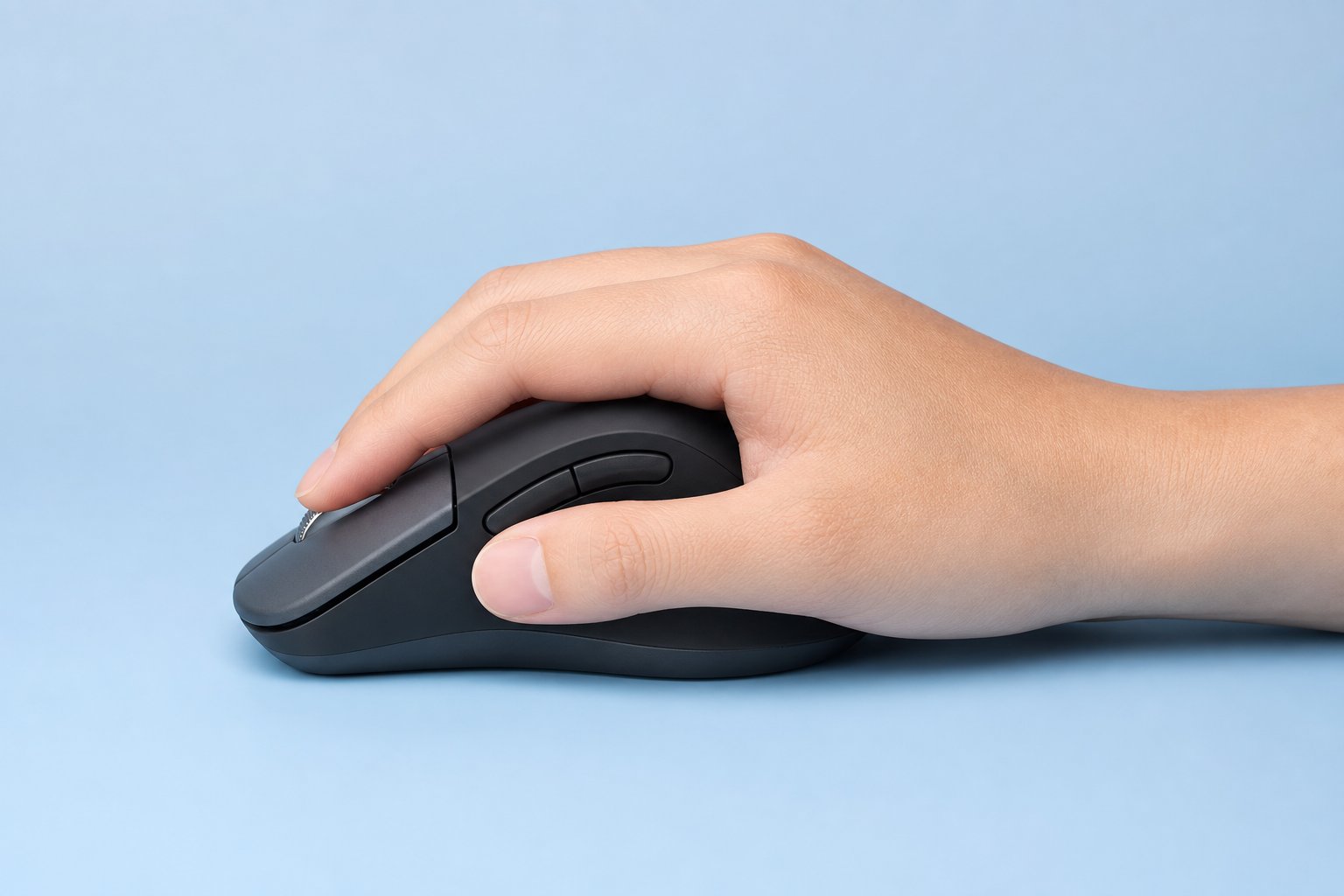
The palm grip is the most natural way to hold a mouse — if you’ve never thought about your grip before, this is probably the grip you use. Your whole hand rests flat on it, fingers lying along the buttons, thumb on one side. All the moving comes from your arm and elbow, not your fingers.
The good: It’s the most comfortable grip by far — the grip your hand naturally wants when it’s tired. Your hand gets full support, so wrist strain stays low even after hours. Perfect for long work sessions and slow, steady games.
The bad: It’s the slowest grip for quick movements. A relaxed palm grip trades speed for comfort. If someone jumps over your head in a game, pulling the mouse down with your whole arm takes longer than a flick of the wrist.
Best for: office work, casual gaming, MMO and RPG games, and anyone with large hands. Big ergonomic mice like the Zowie EC, Logitech G502, and Razer DeathAdder are built exactly for this grip. If comfort is your priority, the palm grip is the grip for you.
Claw Grip: The FPS Favorite
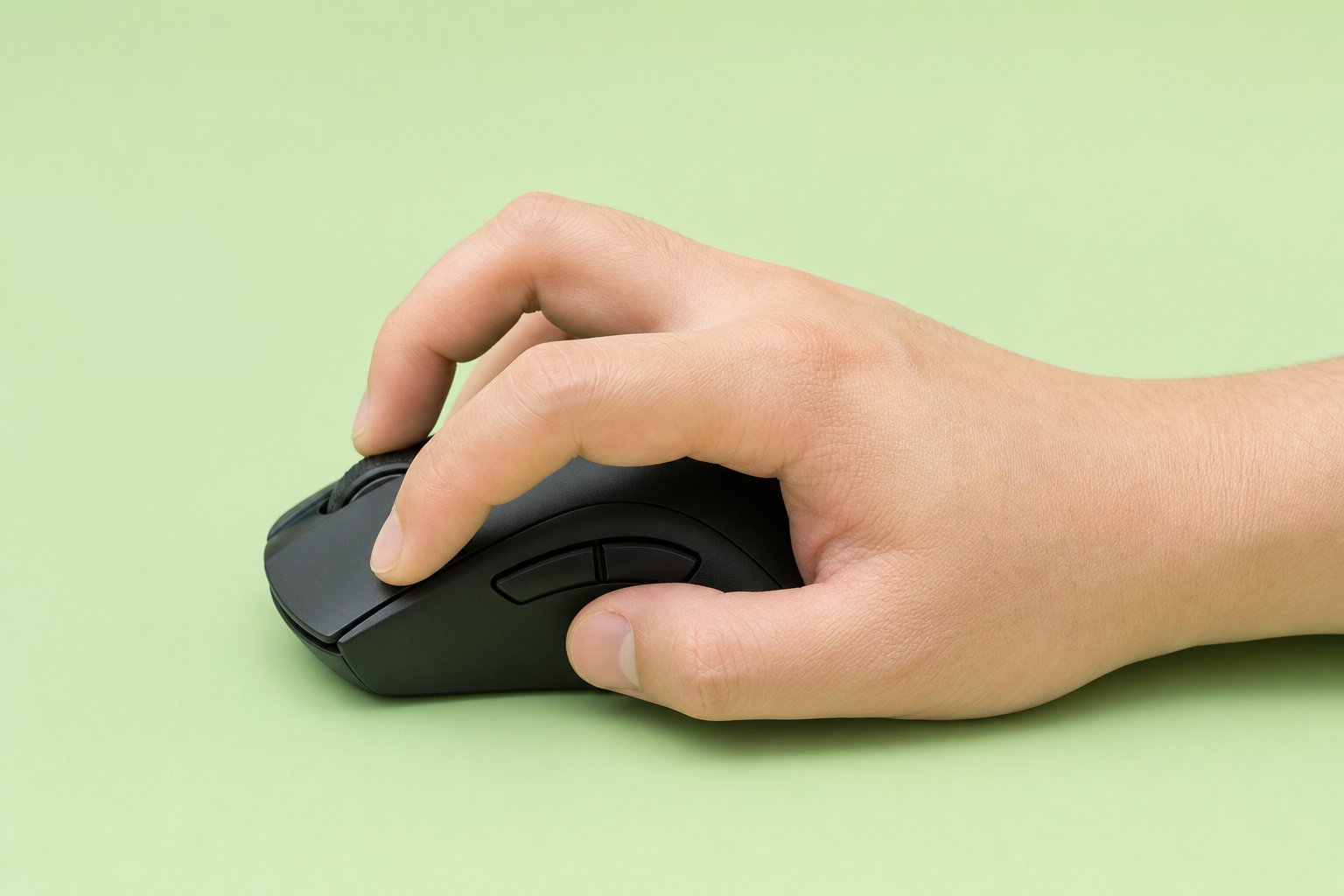
The claw grip rests the base of your palm on the back of the mouse while your fingers arch up like a claw. Only your fingertips and palm base actually touch the shell.
The good: It’s the perfect middle ground of the three grips. You get the stability of a planted palm plus the fast, springy clicks of arched fingers. Flick shots feel instant with this grip.
The bad: Holding that claw arch for hours can cramp your hand, especially if you squeeze the grip too hard.
This is the most popular of all mouse grip styles for fps — and it’s everywhere in mouse grip styles valorant and CS2 communities too. Most competitive players grip with some version of the claw grip. It’s the grip of choice when you need speed and steadiness at once. Medium-sized, symmetrical mice with a rear hump suit this grip best — think the Zowie S2 or Logitech G Pro X Superlight.
Fingertip Grip: Maximum Speed
The fingertip grip is the lightest touch of all — the purest grip in the mouse grip styles family. Only your fingertips contact the mouse, and your palm floats above it the whole time. Every movement comes from your fingers and wrist.
The good: It’s the fastest grip for micro-adjustments. You can twitch the mouse in any direction, including vertically, without moving your arm at all. Gaming mouse grip styles don’t get quicker than this grip.
The bad: It’s the most exhausting grip. Your fingers do 100% of the work, and there’s no palm to steady the mouse. Long sessions leave your hand tired, and it’s rough for big hands.
Best for: twitch shooters, small hands, and lightweight mice under 70 grams. Small, flat mice like the Razer Viper Mini and Finalmouse Starlight are made for this fingertip grip. If speed is everything to you, this is the grip that delivers it.
Hybrid Grips: The Relaxed Claw
Here’s the secret most guides skip: almost nobody fits one clean box. Hybrid grips are the norm, not the exception — most real-world grips are hybrids. A hybrid grip is just two grips blended into one comfortable grip.
The most common is the mouse grip styles relaxed claw. Your palm rests on the back of the mouse while your fingers arch softly — gentler than a full claw. You keep the palm’s stability and the fingers’ speed in one grip. It’s widely considered the best overall grip for modern gaming.
Pro players use hybrid grips too. TenZ plays with a relaxed claw grip, and Shroud’s grip is a hybrid. You’re probably using a hybrid grip right now without knowing it — and that’s fine.
How to Find Your Grip in 60 Seconds
Look at how you grip the mouse right now. Check two things: your palm and your fingers.
- Whole palm down, fingers flat? Palm grip.
- Palm base down, fingers arched? Claw grip.
- Only fingertips touching, palm floating? Fingertip grip.
Somewhere between two of these? That’s a hybrid grip — and it’s completely normal.
That quick check tells you your grip in under a minute. Don’t force a new grip. Your natural grip is the best starting point. Optimize that grip, don’t fight it.
Hand Size Matters
Mouse hand grip styles also depend on how big your hand is. Your grip follows your hand size more than you’d think.
- Large hands (19cm or longer): the palm grip is the easiest and most comfortable. Fingertip on a small mouse will cramp you.
- Medium hands (17-19cm): the most flexible zone — the claw grip works great here.
- Small hands (under 17cm): the fingertip grip feels most natural, and compact mice fit best.
Measure from your wrist crease to the tip of your middle finger. That one number tells you which grip and mouse will feel right. Big hand, palm grip. Small hand, fingertip grip.
Match Your Mouse to Your Grip
Your grip should pick the mouse — not the other way around. Get the grip right first, then the mouse.
- Palm grip → large ergonomic mouse with a high rear hump. Heavier is fine since your arm does the work.
- Claw grip → medium, symmetrical mouse with a rear hump. Light to medium weight.
- Fingertip grip → small, flat, lightweight mouse. Under 70g is basically required.
Remember: shape is fixed, but DPI is a slider. A mouse that fights your grip will never feel right — the grip and the mouse have to agree. A $20 mouse that fits your grip beats a $150 mouse that doesn’t.
Most of the budget picks in our Top Budget Gaming Mice Under $40 are light, symmetrical shapes — which happen to be exactly what claw and fingertip grips need. And if you want to compare shapes before buying, RTINGS’ 3D shape tool lets you line up mice side by side.
Grip and Wrist Pain
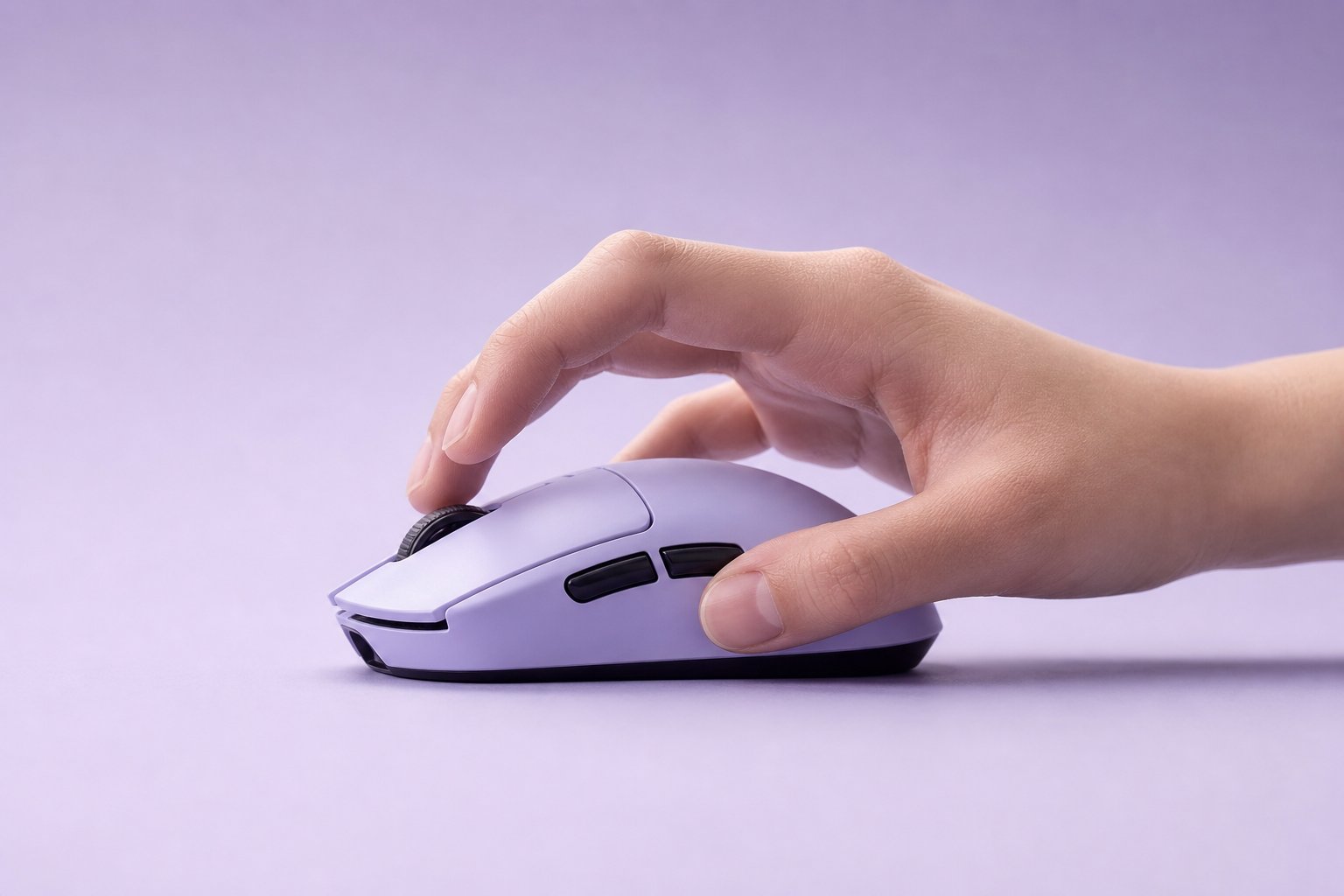
Palm grip is the healthiest grip — the mouse supports your hand’s weight, so your wrist does less work. Fingertip is the most straining grip, with claw in between.
The real enemy isn’t any grip style. It’s the death grip — gripping the mouse way too hard, like it’s about to escape. That tension travels up your fingers into your wrist and leads to fatigue, wrist pain, and worse. No grip should hurt — if yours does, your mouse size or grip tension is the problem.
Easy fixes:
- Loosen your hand. If your knuckles go white, you’re gripping too hard.
- Use a mouse that actually fits your hand size and grip.
- Take short stretch breaks every hour.
A relaxed grip is the healthiest grip, plain and simple. The Canadian Centre for Occupational Health and Safety agrees: comfort and a relaxed posture beat any fancy spec for daily use. For computer mouse grip styles in the office, palm or a relaxed claw on a properly sized mouse is the way to go.
For all-day office work, the Amazon Basics Wireless Computer Mouse we reviewed sits comfortably in a palm or relaxed-claw grip — and it’s cheap enough that you won’t overthink it.
Which Grip Should You Use?
| Your situation | Try this |
|---|---|
| Office work, long sessions | Palm or relaxed claw |
| Competitive FPS (Valorant, CS2) | Claw or fingertip |
| MMO, RPG, casual gaming | Palm |
| Small hands | Fingertip or claw |
| Large hands | Palm |
The mouse grip styles reddit community says the same thing every time this comes up: comfort wins. Don’t copy a pro’s grip just because they’re a pro. Use the grip that feels natural and doesn’t hurt — your grip is yours.
Frequently Asked Questions
What are the mouse grip styles? Three main grips: palm (whole hand down), claw (palm base + arched fingers), and fingertip (fingertips only). Hybrid grips mix them, and they’re very common.
Which mouse grip is best? There’s no single best grip. Palm grip is best for comfort, claw grip for balance, fingertip grip for speed. Pick the grip that fits your hand and what you do.
What grip do pro gamers use? Most FPS pros use claw or fingertip grips for fast flicks. But many use hybrids — TenZ plays relaxed claw, Shroud uses a hybrid grip. There’s no one "pro grip."
Is claw grip bad for your hand? Not by itself. The claw grip only causes problems if you overgrip or hold the arch for hours without breaks.
Which grip is best for wrist pain? Palm grip — the mouse supports your hand’s weight, so your wrist stays relaxed in this grip.
Can I change my mouse grip? Yes, but give it 2-4 weeks. Your aim will dip at first while your muscle memory rebuilds. Changing grips is fine, but your natural grip is usually the best grip.
Does grip matter more than sensor or DPI? For comfort and aim feel, yes. A good grip on a basic mouse beats a bad grip on a premium one.
Don’t chase the "best" grip. Find YOUR grip, match a mouse to that grip, and stop death-gripping. That’s mouse grip styles explained — the whole thing.
For the full picture on mouse types, specs, and how to choose, check our Computer Mouse Buying Guide. And browse our computer reviews at Gadgetping for more honest picks.
Your aim and your wrist will both thank you.