

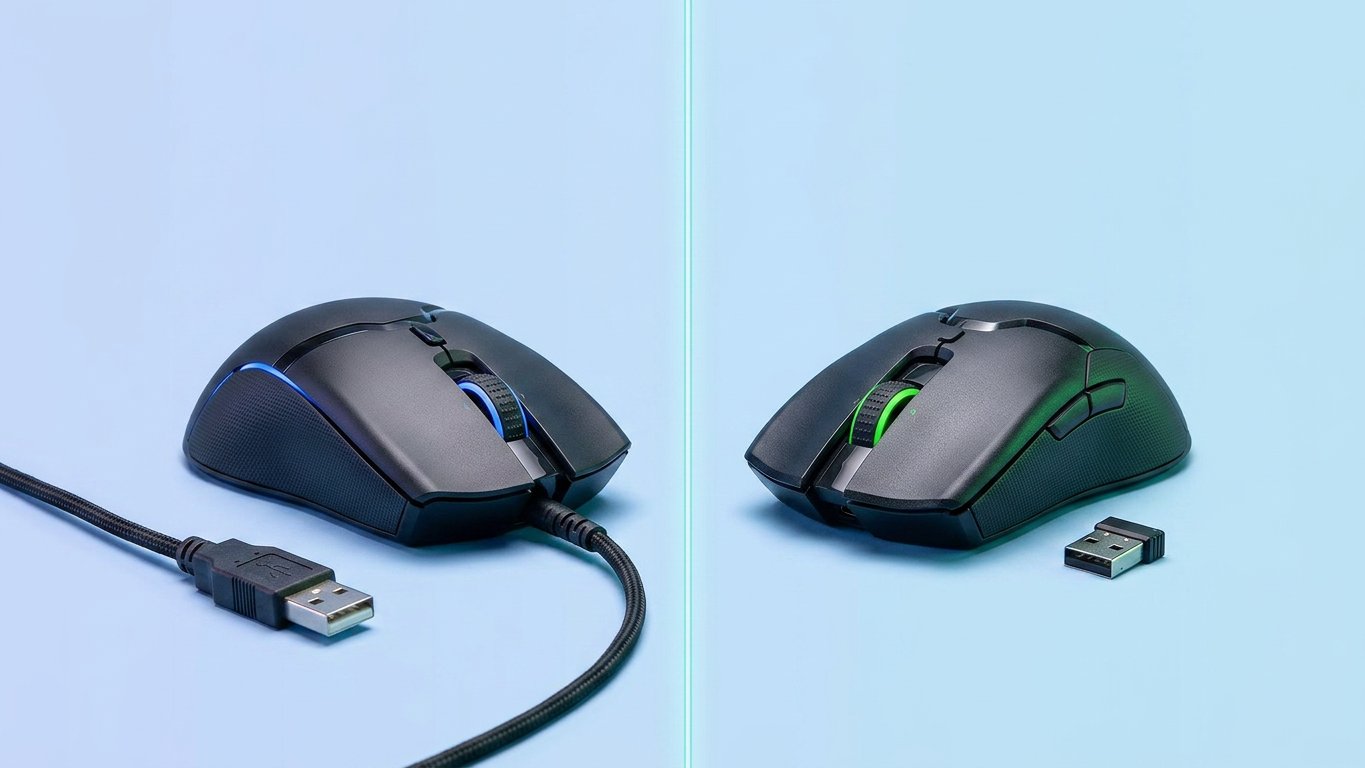
The wired vs wireless mouse debate is mostly over in 2026. Spoiler: for most people, wireless wins. But there are 3 specific cases where wired still makes sense.
- Wired vs Wireless Mouse — Quick Comparison
- Wired Mouse — Pros, Cons & Who It’s For
- Wireless Mouse — Pros, Cons & Who It’s For
- The Latency Myth — Is Wireless Really Slower?
- Wired vs Wireless Mouse for Gaming
- Other Factors
- Dual-Mode Mice — Best of Both Worlds?
- Who Should Get What
- Frequently Asked Questions
I’ve used both for years over at Gadgetping, and the "wireless has too much lag" thing was true a decade ago. It isn’t anymore. The wired vs wireless mouse question comes down to one thing: what you do with it.
For the full picture on mouse types and specs, check our Computer Mouse Buying Guide — but if you just need the wired vs wireless answer, keep reading.
Wired vs Wireless Mouse — Quick Comparison
Here’s the wired vs wireless mouse pros and cons at a glance:
| Factor | Wired Mouse | Wireless Mouse |
|---|---|---|
| Latency | ~1ms (lowest) | ~1-2ms (2.4GHz) / ~8-20ms (Bluetooth) |
| Reliability | Zero interference | Possible RF interference (rare) |
| Battery | None needed | Yes — rechargeable or replaceable |
| Price | Cheaper | $30-70 more for equivalent quality |
| Portability | Cable gets in the way | Easy to pack and carry |
| Desk setup | Cable clutter | Clean, minimal |
| Weight | Lighter (no battery) | Slightly heavier |
| Best for | Competitive gaming, budget | Office, travel, casual gaming |
Wired Mouse — Pros, Cons & Who It’s For
A wired mouse plugs into your PC via USB and draws power directly. In the wired vs wireless mouse debate, this is the simplest option — no battery, no dongle, no pairing. Plug it in and it works.
Advantages: Zero wired vs wireless mouse input lag, no charging, no signal interference, lighter weight, and cheaper. In the wired vs wireless mouse conversation, this is the most reliable connection you can get — nothing competes with a physical cable.
Disadvantages: Cable drag is real. The cord can catch on your desk, limit movement, and create clutter. It’s also less portable — try stuffing a wired mouse into a laptop bag without the cable tangling around everything else.
Honest take: Good for competitive gaming, budget buyers, and permanent desk setups in the wired vs wireless mouse debate. Skip if you move around or hate cable clutter.
Wireless Mouse — Pros, Cons & Who It’s For
A wireless mouse vs wired mouse comparison has to split wireless into two types: 2.4GHz (USB dongle) and Bluetooth. They’re very different.
2.4GHz uses a small USB receiver and delivers near-wired speed — this is what gamers and most office users want. Bluetooth connects without a dongle but has higher latency. That’s the split that matters: 2.4GHz for anything performance-sensitive, Bluetooth for travel and desk tidiness.
Advantages: No cable, clean desk, easy to pack, multi-device switching, and freedom of movement. For a no-frills wireless option, we reviewed the Amazon Basics Wireless Computer Mouse — under $10 and it just works.
Disadvantages: Battery management (you’ll need to charge or replace batteries), slightly heavier due to the battery, and more expensive than wired equivalents in the wired vs wireless mouse comparison.
Honest take: Good for office, travel, casual gaming, and clean desk setups. Skip if you’re a competitive FPS player on a tight budget in the wired vs wireless mouse comparison.
The Latency Myth — Is Wireless Really Slower?
The biggest question people ask: wired vs wireless mouse latency — is wireless actually slower?
Here are the real wired vs wireless mouse response time numbers:
| Connection | Typical Latency | Consistency |
|---|---|---|
| Wired | ~1ms or lower | Perfect — zero interference |
| 2.4GHz wireless | ~1-2ms | Very high — rare RF spikes |
| Bluetooth | ~8-20ms | Moderate — not for gaming |
NVIDIA’s LDAT tests proved the wired vs wireless mouse delay between wired and 2.4GHz wireless is imperceptible for 95% of people. Pro gamers now use wireless mice like the Logitech G Pro X Superlight in tournaments.
Does wired vs wireless mouse matter for everyone else? No. If you’re browsing, working, or playing casually, you will never feel the 1ms difference.
When it does matter: competitive FPS at high polling rates, where every millisecond counts and you can’t risk a wireless hiccup in a clutch moment.

Wired vs Wireless Mouse for Gaming
Wired vs wireless mouse for gaming is the hottest part of this debate. Let’s break it down.
FPS Games (Valorant, CS2, Fortnite)
For wired vs wireless mouse for fps games, the answer depends on your level:
- Competitive wired vs wireless mouse for valorant and wired vs wireless mouse for cs2 → wired still preferred. Not because of lag, but for absolute consistency and zero battery anxiety during long sessions.
- Casual FPS → wireless is completely fine. You won’t feel any difference.
Wired vs wireless mouse for competitive gaming comes down to peace of mind. According to the Canadian Centre for Occupational Health and Safety, a cordless mouse also eliminates tripping hazards — another reason wireless is popular in offices. But you don’t want your mouse dying mid-clutch in a game.
What Reddit Thinks
Search wired vs wireless mouse reddit and you’ll see the same split every time: competitive players lean wired, everyone else leans wireless. The community consensus is clear — wireless is good enough for 95% of gamers.
Polling Rate
Wired vs wireless mouse polling rate differs slightly:
- Wired gaming: 1000-8000Hz
- 2.4GHz wireless: 1000-4000Hz
- Bluetooth: 125-133Hz (too slow for gaming)
That’s the whole polling-rate story: 125Hz Bluetooth can’t keep up with gaming, and 1000Hz-plus 2.4GHz is effectively wired.
For budget picks across both wired and wireless, our Top Budget Gaming Mice Under $40 guide has tested picks at every price point. The wired vs wireless gaming mouse choice really comes down to your level of play.
Other Factors
Wired vs wireless mouse price: Wired is cheaper — expect to pay $30-70 more for a wireless equivalent with the same sensor. Under $60-80, wired gives you better sensor quality per dollar.
Wired vs wireless mouse durability: Wired cables can fray or tangle over years, but there’s no battery to degrade. Wireless batteries lose capacity over time, but there’s no cable to wear out. Both last 3-5 years with decent care.
Wired vs wireless mouse for laptop users: wireless wins easily in the wired vs wireless mouse comparison. No cable to untangle, and Bluetooth models don’t even need a USB port. A mouse bungee can help with wired cable drag, but that’s an extra purchase.
Dual-Mode Mice — Best of Both Worlds?
Can’t decide? A dual-mode or tri-mode wired vs wireless mouse solution does both. Use wired while charging or for zero-latency gaming. Switch to wireless for portability and a clean desk. Models like the Logitech G305 and Akko tri-mode mice let you have it both ways.
If the wired vs wireless mouse 2026 debate has you stuck, this wired vs wireless mouse compromise ends it.
Who Should Get What
- Competitive gamers → Wired. Zero battery anxiety, absolute consistency, best price-to-performance.
- Casual gamers → Wireless (2.4GHz). No noticeable difference, and the freedom is worth it.
- Office workers → Wireless. Wired vs wireless mouse for office and wired vs wireless mouse for work isn’t even close in the wired vs wireless mouse debate — wireless wins for clean desk and comfort. Our Top 10 Amazon Basics Accessories guide includes a solid keyboard-mouse combo for home offices.
- Laptop & travel users → Wireless (Bluetooth). No dongle needed, easy to pack. Pair it with our How to Choose the Right Laptop guide.
- Budget buyers → Wired. You get a better sensor for less money. Simple as that.
Frequently Asked Questions
Do wireless mice have input lag? Modern 2.4GHz wireless mice have ~1-2ms latency — nearly identical to wired. Bluetooth has higher latency (~8-20ms), so avoid it for gaming. For office work, neither type has noticeable lag.
Is wired really faster than wireless? On paper, yes — by about 1 millisecond. In practice, you can’t feel it unless you’re playing competitive FPS at a high level. The wired vs wireless mouse latency gap is basically closed for 2.4GHz in the wired vs wireless mouse comparison.
Does wired vs wireless mouse matter for gaming? For competitive FPS (Valorant, CS2), yes — wired gives peace of mind. For casual gaming, no. Modern wireless is more than fast enough.
Are wireless mice good for gaming in 2026? Yes. Most pro gamers now use 2.4GHz wireless mice. Bluetooth is the only wireless type that still has noticeable lag for fast-paced games.
Which lasts longer — wired or wireless? Both last 3-5 years. Wired cables can fray; wireless batteries degrade. Neither has a clear durability advantage — it comes down to build quality.
Is there a mouse that works both wired and wireless? Yes — dual-mode and tri-mode mice let you use wired while charging and wireless the rest of the time. Great if you can’t pick a side.
For 95% of people, wireless wins the wireless mouse vs wired mouse debate. For competitive gaming on a budget, wired is still the smarter pick in the wired vs wireless mouse comparison. That’s it. Your desk, your call.
For the full picture — types, specs, grip styles, and more — check our Computer Mouse Buying Guide. And browse our computer reviews at Gadgetping for more honest picks.







2 thoughts on “Wired vs Wireless Mouse: Which Is Better in 2026?”
Comments are closed.