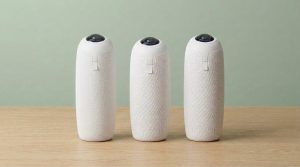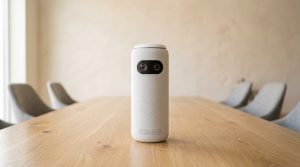
A Meeting Owl is a 360-degree camera, mic, and speaker that sits in the middle of the table — and in 2026 you should buy by room size, not by the number on the box. If your team sits around a small table, the Meeting Owl 3 at $1,099 is the one. Need 4K? Meeting Owl 4+. One USB-C cable from a laptop to the TV? Meeting Owl 5 Pro. Do not buy a new Meeting Owl Pro. That unit is end of life. We already checked the Pro on Gadgetping.
- Meeting Owl Lineup (2026): What You Can Still Buy
- How a 360 Conference Camera Actually Works
- Pick by Room Size, Not by Model Number
- Owl Bar (and When You Need Two Cameras)
- Owl Camera Setup (and Reset)
- What Meeting Owl Gets Wrong
- Meeting Owl vs Logitech, Jabra, Poly
- Who a Meeting Owl Is For (and Who Should Walk Away)
- Frequently Asked Questions
This is not a Night Owl security camera, not a CCTV owl, and not a plastic Bluetooth speaker shaped like a bird. Owl Labs makes hybrid meeting gear. That’s the whole category.
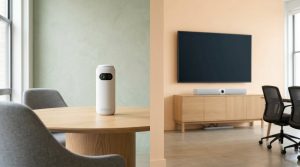
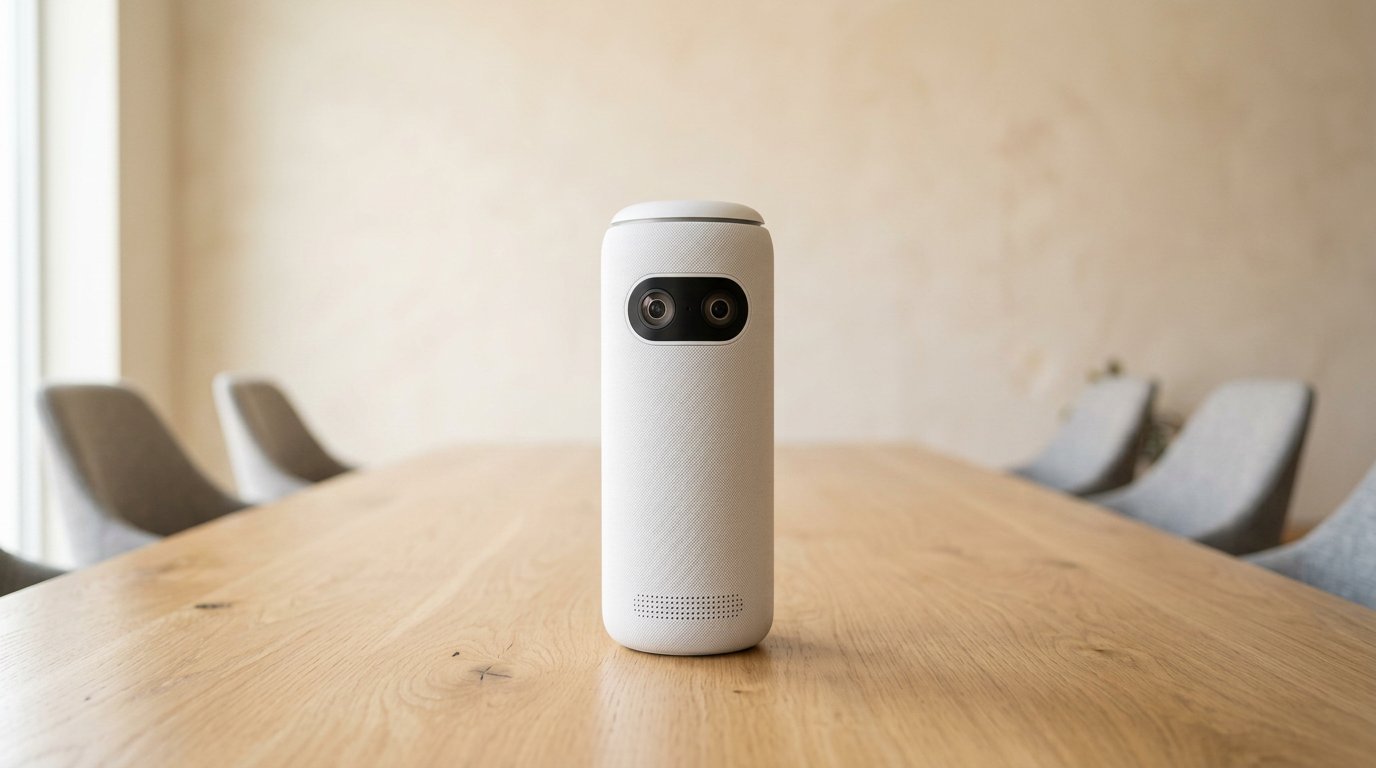
A Meeting Owl lives in the middle of the table — not on the TV wall.
I’ll walk the current lineup with list prices, how 360 video actually behaves, which room each model fits, when you need an Owl Bar, how setup works, what the box actually includes, and where this gear loses to a normal conference bar. I first ran into an Owl the same way a lot of you did — walked into a hybrid standup, thought the tower was a speaker, then watched the far end see the whole table. That “wait, that’s clever” moment is real. So is the hangover when you drop the same tower in the wrong room.
Meeting Owl Lineup (2026): What You Can Still Buy
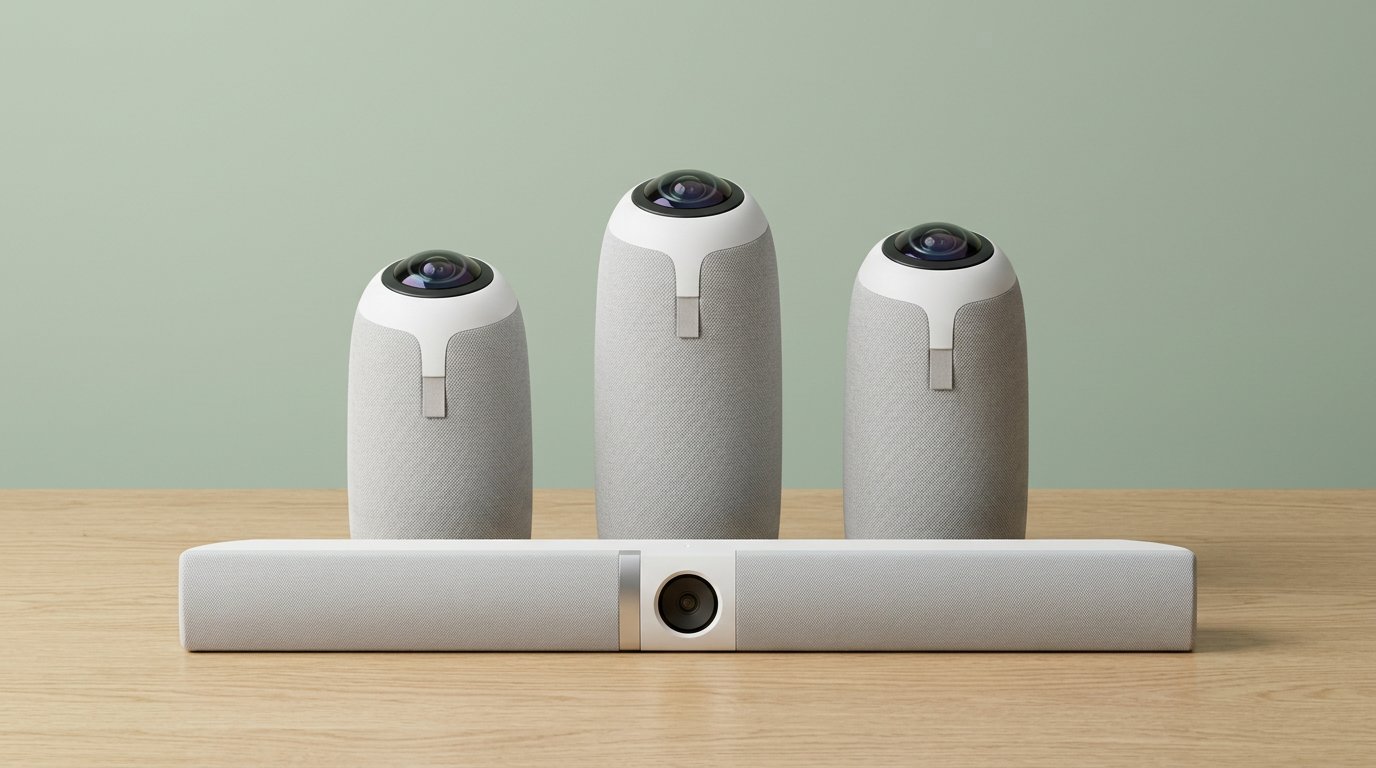
Meeting Owl 3, 4+, 5 Pro, and Owl Bar — the 2026 lineup that still ships.
Owl Labs sells four video devices that matter. Three sit in the center of the table. One hangs under the display.
| Model | Video | Audio | Pairing | List / street | Buy if |
|---|---|---|---|---|---|
| Meeting Owl 3 | 1080p, 16 MP fisheye | 18 ft (5.5 m) | Wireless only | $1,099 | Default small table |
| Meeting Owl 4+ | 4K UHD, 64 MP | 18 ft | Wireless, or wired with adapter | $1,999 / ~$1,799 | Same room, sharper faces |
| Meeting Owl 5 Pro | 4K UHD, 64 MP (video ~10 ft) | 18 ft | Wired or wireless — not with 3 or 4+ | $2,599 | Single-cable BYOD + HDMI |
| Owl Bar | Front-of-room bar | 18 ft | Pairs with 3 or 4+ | $1,799 / ~$1,439 | People face the TV |
| Meeting Owl Pro | 1080p (old) | 18 ft | Legacy | Used only | Don’t buy new |
Prices checked on owllabs.com in 2026. Street prices move. Amazon search links below use Gadgetping’s tag.
Meeting Owl 3 — $1,099
The Meeting Owl 3 is still the workhorse. 1080p, Qualcomm Snapdragon 650, Wi-Fi 5, eight mics, three speakers, USB plug-and-play. Owl Labs maps it to huddle rooms and groups of about 8–10 around a table.
It is the only Owl most small teams should pay for. If your display is 1080p anyway, 4K on the camera is a spreadsheet flex. Box typically includes the Owl, power brick, USB-C cable, and a quick-start card. Microsoft Teams certified, Zoom/Meet as a normal USB device.
Premium packs add a weighted stand, longer USB, and extra Owl Care. Worth it if the Owl will live on a slick table and get knocked. Skip the pack if you already have a stand and a known-good cable.
Meeting Owl 4+ — $1,999 / ~$1,799
The Meeting Owl 4+ is the 3 with a 64 MP sensor, 4K output, and a Snapdragon 8250. Audio radius stays 18 ft. You buy it when remote people need to read faces or a whiteboard at the far end, or when IT already standardized on 4K rooms.
Sale price on Owl Labs has sat around $1,799. Meeting Owl 4+ on Amazon.
Meeting Owl 5 Pro — $2,599
The Meeting Owl 5 Pro (early 2026) is the BYOD box. Native HDMI passthrough, native Ethernet, Wi-Fi 6E, USB-C. One cable from a laptop can drive the Owl and the in-room display. Microsoft Teams certified.
Two catches. Video pickup is listed at 10 ft (3 m), tighter than the 3 and 4+. And Owl Labs says it does not pair with other Owl models. If you already own a 3 or 4+, this is a fork, not an upgrade.
The box is the tell: 16 ft HDMI, 6.5 ft USB-C SuperSpeed, 16 ft USB-C to A, power, privacy cap. That’s an IT install kit, not a “throw it in a backpack” kit. Privacy cap is overdue — older Owls sat there with a live fisheye and a blinking owl-eye LED.
Meeting Owl Pro — end of life
The Meeting Owl Pro launched around $999, then faded. Owl Labs product URLs for the Pro now push you to the 3. New units are not a clean buy. Used or refurb only, and only if the price is well under a new 3. Full write-up: Meeting Owl Pro review.
How a 360 Conference Camera Actually Works
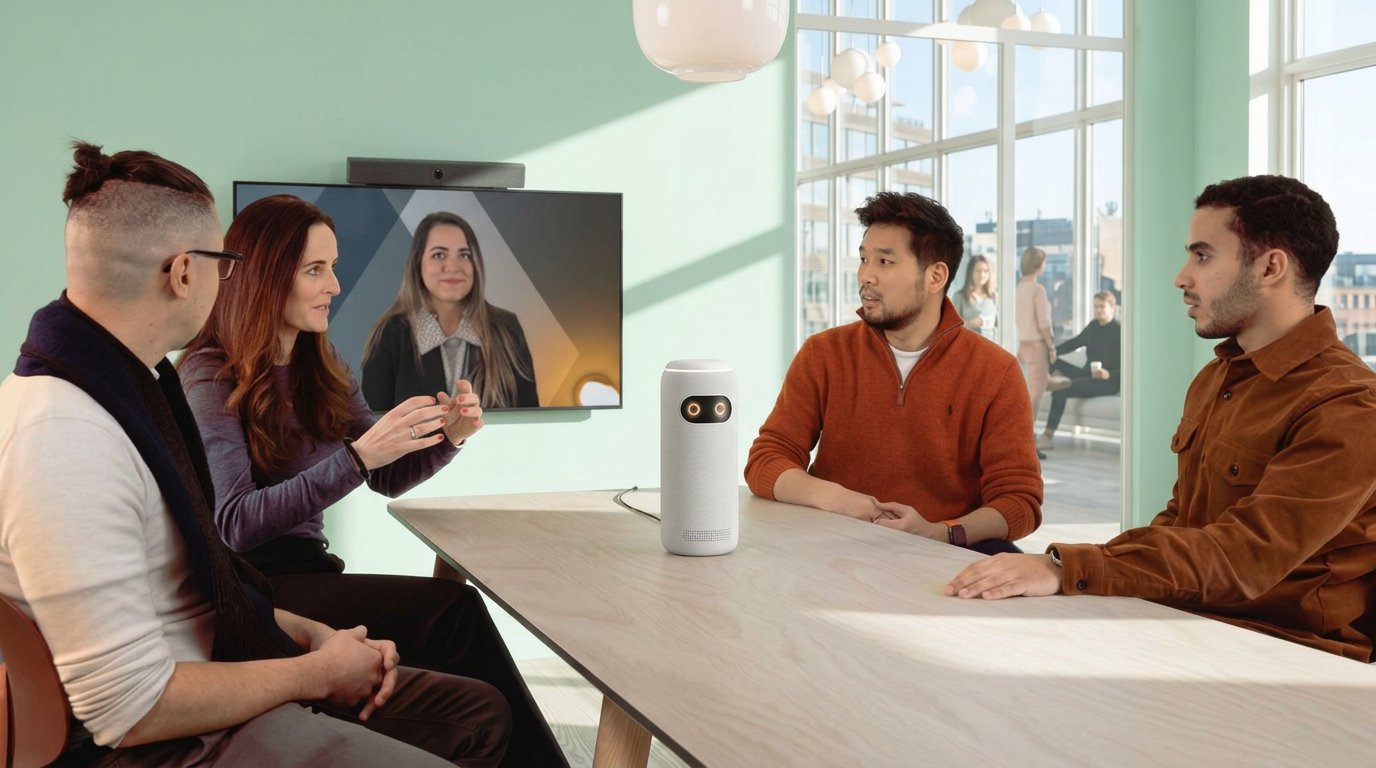
360 only works when people face the Owl, not only the display.
A 360 conference camera sits in the center. A fisheye sees the whole table. Software cuts to whoever is talking and often keeps a small “whole room” strip so remote people know who else is there.
That only feels natural if people face the Owl. The second everyone turns to a TV on the wall, remote viewers get the back of heads plus a talking chin. AV techs on Reddit say the same thing every year: it wants the middle of the table, same height as the people. Put it on a credenza at the front of a 50-seat room and it fights physics.
A laptop webcam is still fine for one person at a desk. A Meeting Owl is for a group that would otherwise pass a laptop around. If you only need a face cam, our webcam roundup is the cheaper path.
Pick by Room Size, Not by Model Number
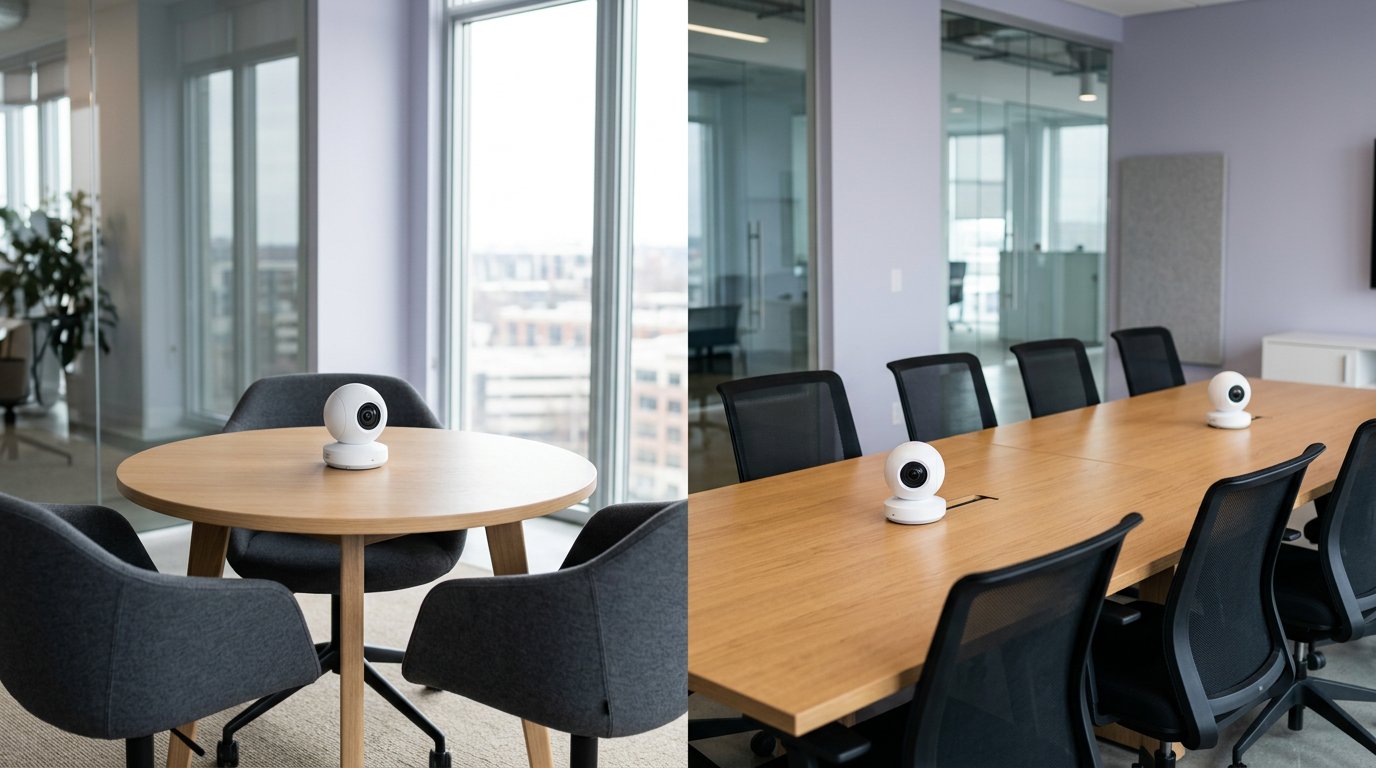
One Owl for a huddle. Two cameras (or a Bar) when the table gets long.
Owl Labs publishes a neat chart. Their 2026 device guide is useful. I shrink it a bit, because owners and integrators keep saying 15-plus people is where audio and tracking get messy.
| Room | People | What to buy |
|---|---|---|
| Huddle | 2–4 | Meeting Owl 3 |
| Small | 5–8 | Meeting Owl 3; 4+ if you have a 4K display |
| Medium | 9–12 | Meeting Owl 4+, or 3 + Owl Bar |
| Large | 13+ | Two 4+ units, or 3 + expansion mics — not one Owl |
| Classroom / lecture | “hybrid teaching” | Usually a front bar, not a table Owl |
Over at Gadgetping we treat “18-foot pickup” as a best-case radius in a quiet, treated room — not a promise in a glass box with HVAC roar.
If the meeting is a presentation at the front, skip the center Owl. Remote people need the presenter and the slides, not a rotating gallery of the audience.
Lighting matters more than people admit. The fisheye hates a bright window behind one chair and a dim wall on the other side. Close blinds or add a cheap lamp. Firmware updates have improved tracking; they have not rewritten optics.
If you travel with the Owl, get the hard or soft case. The tower looks tough. The glass top is not a coffee coaster.
Owl Bar (and When You Need Two Cameras)
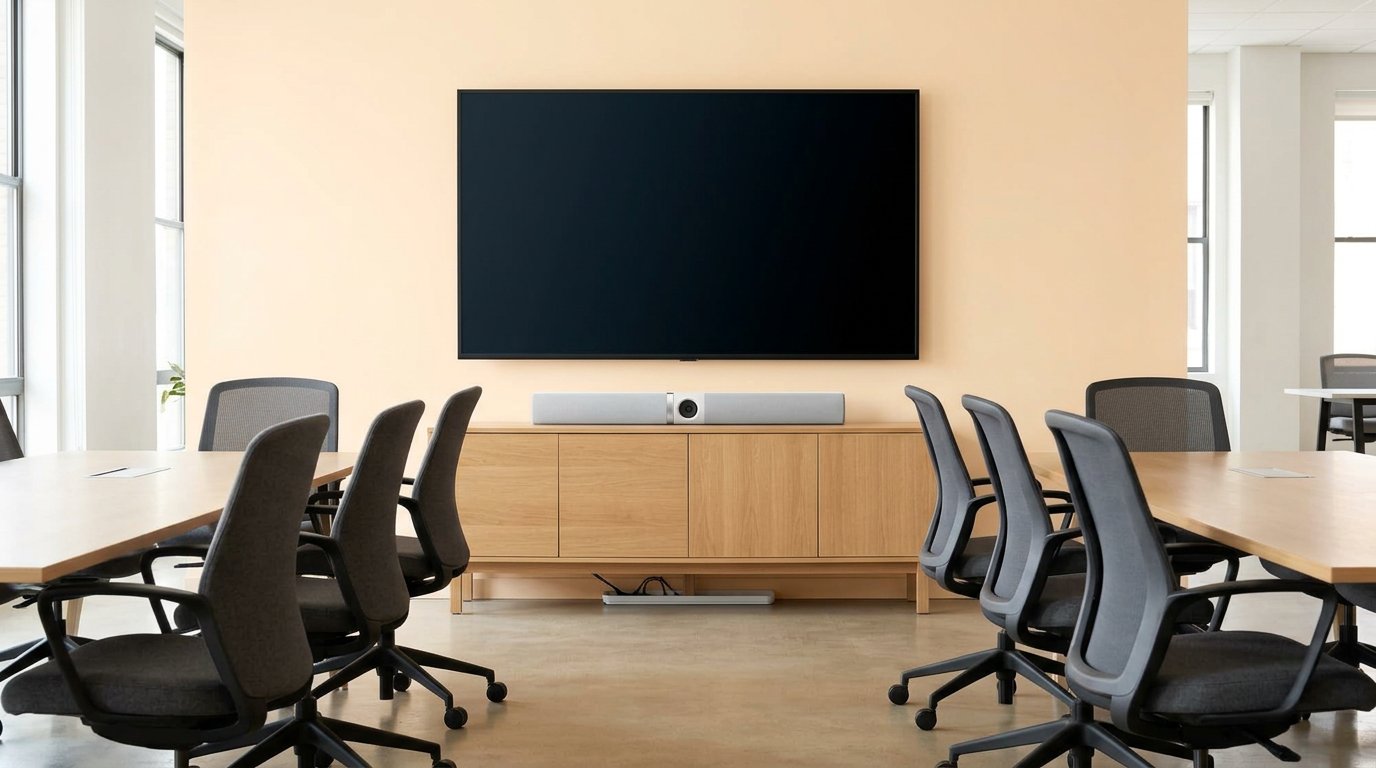
Owl Bar sits with the display — use it when heads turn to the screen.
The Owl Bar is a front-of-room camera, mic, and speaker. List $1,799, often ~$1,439. It works alone in a small huddle facing a display. It gets interesting when you pair it with a Meeting Owl 3 or 4+. Software picks the better angle: table talk vs faces looking at the TV.
Search data loves “owl bar plus two owl 360 cameras.” That’s a large-room kit, not a first purchase. Two 360 units plus a bar is boardroom money.
Other add-ons:
- Expansion Mic — $249, about +8 ft (2.5 m) of pickup on long tables. Works with a Meeting Owl, not as a magic ceiling array.
- Whiteboard Owl — $599, a dedicated board camera.
- Stand / tripod — so the Owl sits at face height, not down in the coffee cups.
Owl Camera Setup (and Reset)
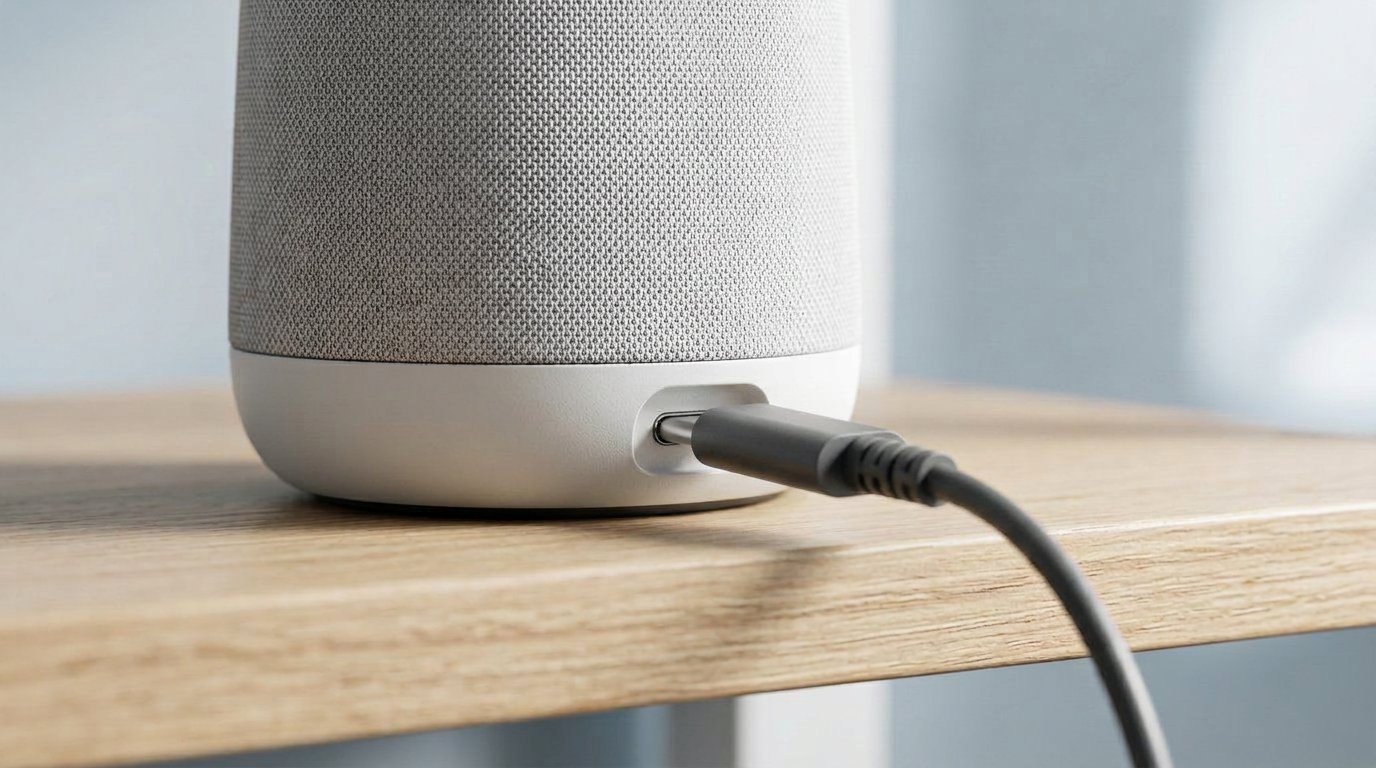
Power plus USB to the host laptop. Skip cheap extension cables.
Owl camera setup is boring on purpose. Power the Owl. USB into the host laptop (USB-C on current models). Zoom, Teams, Meet, and Webex see a camera, a mic, and a speaker. No special driver for a normal Windows or Mac box.
Put the Owl in the middle. Keep people inside that 18-foot circle. Don’t hide it behind a monitor.
Wi-Fi is for the phone app, firmware, and Owl Labs Nest (fleet settings). Nest is how IT locks zoom behavior, registers a pile of rooms, and stops someone from “fixing” the Owl from their phone every Monday. You can run a meeting on USB without Wi-Fi. You should still join Wi-Fi once so the firmware isn’t two years old. Owners who skipped Wi-Fi then blamed tracking were often on old builds.
If you manage more than two rooms, Nest is the difference between a cute gadget and something you can support. If you have one Owl, the phone app is enough.
Reset lives in the Owl app and Owl Labs support docs. Hold-power tricks exist; the app is the clean path. A full click-by-click setup and reset guide is the next cluster post — this pillar only needs: plug in, place in the center, pick it in Zoom.
One real-world snag: long cheap USB extensions. People in CommercialAV keep saying the Owl is picky about extra cable. Stay close to the included lead or a known-good USB-C SuperSpeed run.
What Meeting Owl Gets Wrong
I’m not going to pretend this is a $1,100 miracle.
Audio is the fight. Owl Labs sells an 8-mic array. Integrators who live in Shure and Biamp rooms call the onboard mics fine for a quiet huddle and rough past that. One r/CommercialAV thread after another: great for 4–10 around a table; noisy audience or a long boardroom and it hunts the wrong source. Some sites disable the Owl mic and feed Zoom a real mic. That’s a tell.
Price. Logitech MeetUp 2, Rally Bar Mini, Jabra PanaCast 50, Poly Studio R30, and EMEET’s 360 capsule all sit under or near the 3/4+ range depending on the week. You pay Owl Labs for the 360 cut and the “no integrator” story, not for the best mic in the building.
The 5 Pro pairing lock. If you thought you’d mix a 5 Pro with two older Owls later, you can’t. Read that before you “future-proof.”
Privacy and the owl eyes. Older units blink when they’re live. That’s good. It’s also easy to forget a 360 mic is hot in a room people treat as private. The 5 Pro privacy cap is the right accessory. Unplug power if the room is for a salary talk.
Anker bought Owl Labs in 2023. Support and firmware have kept moving. It is not a dead brand. It is also not a custom AV rack. Firmware still ships. Nest still exists. You are not buying a 2018 Kickstarter leftover when you buy a 3 or 4+ today. You are buying a mature niche product with a high sticker and a narrow best-use case.
Gadgetping’s job is the mix: the Owl is easy, and easy has limits.
Meeting Owl vs Logitech, Jabra, Poly
Buy a Meeting Owl when:
- People sit around a table, not in rows
- You want one USB device, not a DSP
- Remote folks need to see the whole group, not only the person nearest the TV
Buy a bar (Logitech Rally / MeetUp, Jabra PanaCast, Poly Studio) when:
- The room already has a display on one wall
- Meetings are present-to-the-screen
- You care more about face-on framing than a 360 doughnut
Quick 2026 street ballpark (moves weekly): Jabra PanaCast 50 often near $900–$1,000 for 180° 4K on the front wall. Poly Studio R30 often mid-$600s. Logitech Rally Bar Mini is still “real room bar” money, close to a 4+ Owl. EMEET’s 360 capsule undercuts the Owl 3 if you only want the gimmick and can live with a lesser ecosystem.
None of those give you the same “everyone around the table, remote sees the talker pop” trick. That’s the Owl pitch. If that pitch doesn’t match your furniture, don’t pay for it.
We’ll do a full comparison in this cluster. Until then, more camera pieces live under Cameras & Video.
Who a Meeting Owl Is For (and Who Should Walk Away)
Buy one if you run hybrid standups around a square or round table, clients join from another country, and nobody wants to book an integrator. Teachers using it for small seminar discussion — not lecture — also report it working. Professors on Reddit liked it for research meetings and said it was the wrong tool for teaching to a room plus Zoom at once.
Walk away if:
- You are one person on a laptop (webcam)
- Your “conference room” is a classroom with rows
- You already have a decent Rally / PanaCast bar and a DSP
- Your budget is “under $400 and 360 please”
- You need the camera on the ceiling by code or by furniture (some Owls get hung; it’s a hack, not the design)
If you’re replacing a Pro you already own, keep using it until it dies, then jump to a 3 or 4+, not a 5 Pro, unless BYOD HDMI is the whole reason you’re shopping.
Gadgetping will say this until it sticks: the product is excellent in a narrow box. Outside that box it looks expensive and a little silly.
Frequently Asked Questions
What is a Meeting Owl?
A Meeting Owl is Owl Labs’ all-in-one 360-degree conference camera with mics and speakers in one tower. It sits in the center of a table, tracks the speaker, and plugs in over USB. It is not a security camera.
Meeting Owl 3 vs 4+ vs 5 Pro — which should I buy?
Buy the Meeting Owl 3 unless you need 4K (4+) or single-cable HDMI BYOD (5 Pro). Most huddle rooms cannot tell 1080p from 4K on a group call. The 5 Pro also will not pair with a 3 or 4+.
Is the Meeting Owl Pro still sold?
Not as a clean new product. Treat the Pro as end of life. Used only if it’s cheap. Read our Meeting Owl Pro review for the 2026 replacement list.
Does Meeting Owl work with Zoom and Teams?
Yes. Current models are certified for Microsoft Teams and work with Zoom, Google Meet, Webex, and Slack as a standard camera, mic, and speaker. You select them in the meeting app.
How big a room can one Owl cover?
Plan for about 8–10 people and an 18-foot audio circle in a quiet room. Owl Labs shows bigger layouts with two Owls, a Bar, or expansion mics. One Owl in a 50-seat lecture hall is the wrong tool.
Do I need an Owl Bar and a Meeting Owl?
Only if people face a display and also talk around the table. A Bar alone is enough for a small huddle aimed at a TV. A table Owl alone is enough when everyone faces the center.
How do I set up or reset a Meeting Owl?
Power + USB to the host, place it in the middle, select it in Zoom or Teams. Use the Owl app on Wi-Fi for firmware and reset. Don’t cheap out on USB extension cables.
Is Meeting Owl audio good enough?
For a small, quiet table, yes. For untreated glass rooms, big groups, or classrooms, many AV people replace or bypass the onboard mics. Believe the room, not the spec sheet.
Can I pair two Owls?
Meeting Owl 3 and 4+ can pair (3 is wireless-only; 4+ can do wired with an adapter). Meeting Owl 5 Pro pairs with another 5 Pro, not with 3 or 4+. Confirm the combo on Owl Labs before you order two different generations.
If you only remember one line: a Meeting Owl is a small-table camera. Meeting Owl 3 is the default at $1,099. Meeting Owl 4+ is the 4K spend. Meeting Owl 5 Pro is the BYOD spend, and it will not join your old Owls. Owl Bar is for the front of the room. The Pro is a used-bin item.
That’s the honest best meeting room camera 2026 take from this lineup — not “buy the newest.”
Gadgetping will keep this cluster going: 3 vs 4+ vs 5 Pro, Owl Bar, setup and reset, then the individual reviews. Until those are up, start with the Pro post if you already own the old one, and browse Cameras & Video for the rest of the room.