

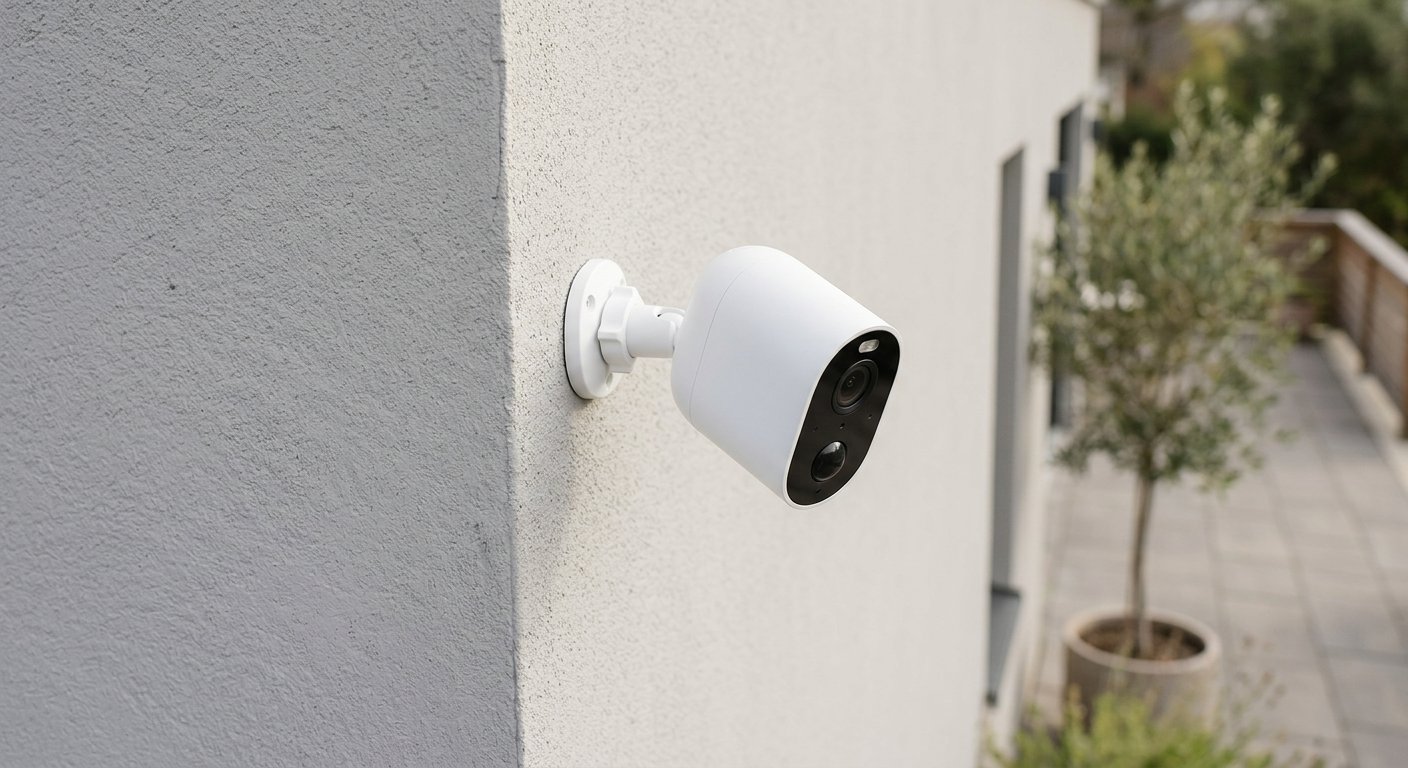
If you want the short answer: the best wireless security camera for the outdoors and office in 2026 is the eufyCam S4 on your property and the Wyze Cam v4 in the office. Six picks below, all at real 2026 street prices. The decision that matters more than resolution is storage — subscription cloud or local. Get it wrong and a $60 camera costs $400 over 3 years.
Table of Contents
Best Wireless Security Camera for the Outdoors and Office (2026): 6 Picks
The right camera depends on where it lives and the monthly fee:
| Camera | Best for | Price (2026) |
|---|---|---|
| eufyCam S4 | Overall · no-subscription 4K solar | ~$650 (2-cam kit) |
| Ring Outdoor Cam (battery) | Alexa households | ~$80 |
| Blink Outdoor 4 | Budget · longest battery life | ~$70–130 |
| Wyze Cam v4 | Office · cheapest 2.5K | ~$36–45 |
| Reolink Argus 4 Pro | No-sub 4K battery, 180° view | ~$120–190 |
| ZOSI 8CH NVR kit | Office/business, multi-cam | ~$200–300 |
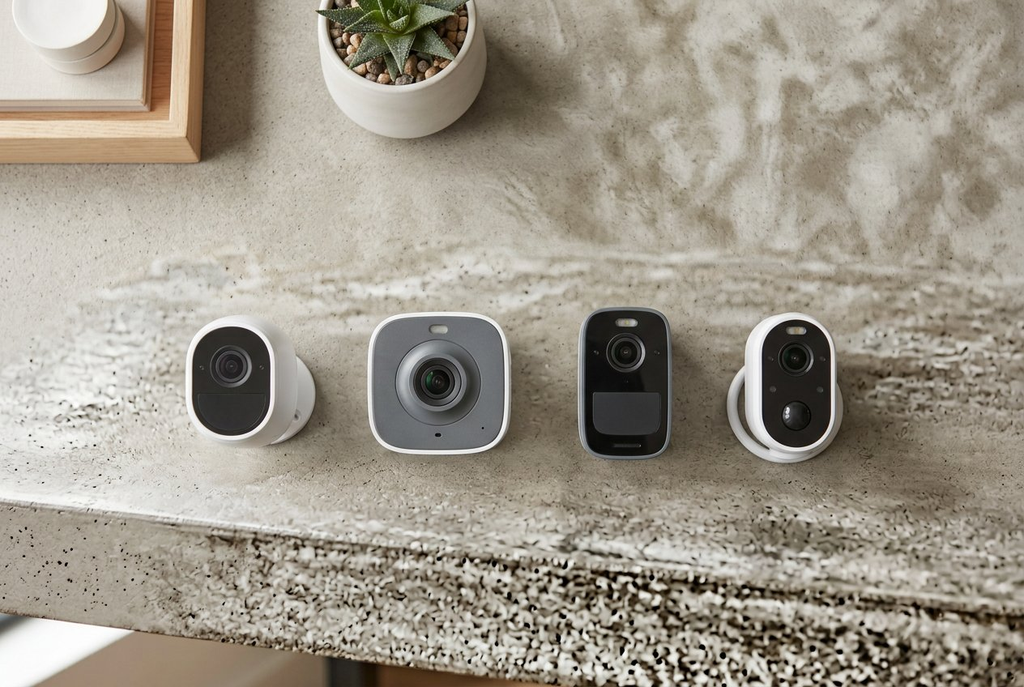
eufyCam S4 — Best Overall, No Subscription (~$650)
The 2026 flagship that ends the fee debate. Each camera pairs a 4K wide lens with a 2K pan-and-tilt lens that tracks across cameras, plus built-in solar, 8x zoom, and color night vision. Footage lands in local HomeBase 3 storage — $0 monthly, face recognition included, everything unlocked. The 2-camera kit sells for about $650 right now, the 4-camera kit near $1,000.
The honest catches: expensive up front, a learning curve in the app, and switchers on r/EufyCam warn activity zones are “hit or miss… mostly miss.” Budget $50? Start with a Wyze. Check the price on Amazon.
Ring Outdoor Cam (battery) — Best for Alexa Homes (~$80)
If your home already runs Ring or Alexa, this slots in cleanly: 2K video, color night vision, two-way audio, the tightest Alexa integration on this list, one Ring plan covering doorbells and alarms too. The catch: recording and smart alerts need that plan, there’s no local storage, and “free” means live view only. Battery runs 6–12 months on typical traffic. Check the price on Amazon.
Blink Outdoor 4 — Best Budget, Longest Battery (~$70–130)
The cheapest way to cover a whole property: 1080p, 110° of view, weatherproof, up to two years on AA — the longest battery life on this list. Price swings by pack size — singles near $100, two-camera kits in the low $70s on sale, five-camera kits around $280. The Sync Module stores clips on a USB drive locally, no fee, killing Blink’s old “cloud only” weakness.
It’s not 4K, and smart alerts still want a Blink plan — but for a driveway and backyard on a budget, nothing under $100 does more per dollar. Check the price on Amazon.
Wyze Cam v4 — Best for the Office, Cheapest 2.5K (~$36–45)
The pick that makes the “office” half real: 2.5K video, color night vision, a motion-activated spotlight, a built-in siren, two-way audio, and — the part that matters for an office — 24/7 local microSD recording with no subscription. Plug-in power is a feature here: there’s an outlet under every desk. IP65 covers a sheltered outdoor spot too.
The catch: fixed lens, no pan or tilt, and Wyze’s AI person/package detection sits behind a small fee — basic motion alerts and 24/7 SD recording are free. At $36, that trade is easy to live with. Check the price on Amazon.
Reolink Argus 4 Pro — Best No-Sub 4K Battery Camera (~$120–190)
The brand installers keep recommending on r/SecurityCamera — one owner with eight Reolink cameras: “they’ve been great.” The Argus 4 Pro is the battery version of that logic: 4K, 180° of view, color night vision, recording straight to a microSD card, no cloud required. Near $120 with the solar panel, under its $180 MSRP.
The honest warning from that thread, from installers: “wireless cams are basically toys.” Battery cameras sleep to save power and miss the first second or two of motion. If true 24/7 recording is the point, go to the ZOSI below. Check the price on Amazon.
ZOSI 8CH NVR Kit — Best for the Office or Business (~$200–300)
The successor to the ZOSI system in this post’s 2021 version — same brand, 4K-class instead of 1080p. An 8-channel wireless NVR covers the property with local recording to a hard drive: no subscription, ever, watch from any phone. The only pick built for eight cameras.
The catches: wireless range is shorter than PoE wired kits, the app is functional rather than pretty, and budget kits ship with a weak drive — upgrade it for long retention. Check the price on Amazon.
What Actually Matters: Subscription vs Local Storage
The subscription is what costs you money. Ring and Arlo lock recording, smart alerts, and activity zones behind plans around $10–20 a month per address. Eufy, Reolink, ZOSI, and Wyze (via SD card) record locally for free, every feature unlocked.
The r/EufyCam consensus is blunt: with Arlo, “without a subscription, the cameras are basically useless” — they record nothing. Switchers agree: “The image/video quality is like night and day” — and “No monthly fee, same quality.”
Three more checks before buying:
- Battery reality. “2-year” claims assume low motion traffic; a busy driveway can cut runtime to months. Solar fixes the charging, not the sleep.
- Wi-Fi range. Every camera here is 2.4GHz-only; at the edge of your router’s range, frames drop. Extend coverage first, then buy.
- Resolution math. 1080p covers most driveways; 2K/4K only pays off when you zoom into a face or a license plate.
Full threads: r/EufyCam — Eufy vs Arlo · r/SecurityCamera — cameras without subscriptions
Wireless Security Camera for Office: What’s Different
An office setup has two rules that don’t apply at home:
- Local storage, or nothing. Five cameras on subscription plans is $600+ a year before you record a thing. Local recording (Wyze SD, ZOSI NVR, Reolink SD) keeps that at $0.
- Continuous recording. Home battery cams can afford to sleep; an office that needs the full record needs 24/7 capture — plug-in (Wyze v4, Ring plug-in) or NVR (ZOSI).

The standard small-office setup: one Wyze v4 at the entrance, one in the main room, ZOSI past three cameras. After meeting rooms rather than security? We’ve covered that on Gadgetping — the Meeting Owl Pro for conferences, webcams for streaming for the desk side.
Frequently Asked Questions
Do wireless security cameras need a subscription?
No — it’s a brand decision. Eufy, Reolink, ZOSI, and Wyze (with an SD card) record locally for free. Ring and Arlo do live view only without a plan; recording needs one, typically $10–20 a month per address.
What is the best no-subscription wireless security camera?
The eufyCam S4 for 4K, solar, and on-device AI; the Reolink Argus 4 Pro for a single 4K 180° camera; the Wyze Cam v4 under $50. All three record without a monthly fee.
Can I use a wireless security camera in an office?
Yes. Pick plug-in or NVR cameras for 24/7 recording, keep storage local so you’re not paying per-camera cloud fees, and make sure Wi-Fi reaches every mount.
Are battery cameras good for 24/7 recording?
Not really — the most common mistake. Battery cameras sleep between events to stretch runtime and miss the first second or two of an incident. Continuous recording needs plug-in power or an NVR.
Is 4K worth it for a home security camera?
Only if you’ll zoom into a face or a license plate. 1080p covers most driveways, 2K is the middle ground; 4K earns its price on large properties or solar models.
So the map: property — eufyCam S4 if the budget allows, Ring if your home already speaks Alexa, Blink if it’s tight; office — Wyze v4 per room, ZOSI NVR past three cameras. Buy the storage model first — subscription or local — and the picks stop being hard.
Over at Gadgetping we test gadgets from Amazon, AliExpress and Flipkart so you buy the right one — not the loudest one: real 2026 prices, real user reports, subscription math before you buy. If you’re already in the Ring ecosystem, our Ring Alarm 2nd generation review covers the rest of the stack, and our smart home security guides have everything else.


One thought on “Best Wireless Security Camera for the Outdoors and Office (2026)”
Comments are closed.